
Custom Functions in Workflows
How to use custom functions in workflows
Custom functions provide maximum flexibility by allowing you to define specific logic for step execution. Use them to preprocess inputs, orchestrate agents and teams, and postprocess outputs with complete programmatic control.
Key Capabilities
- Custom Logic: Implement complex business rules and data transformations
- Agent Integration: Call agents and teams within your custom processing logic
- Data Flow Control: Transform outputs between steps for optimal data handling
Implementation Pattern
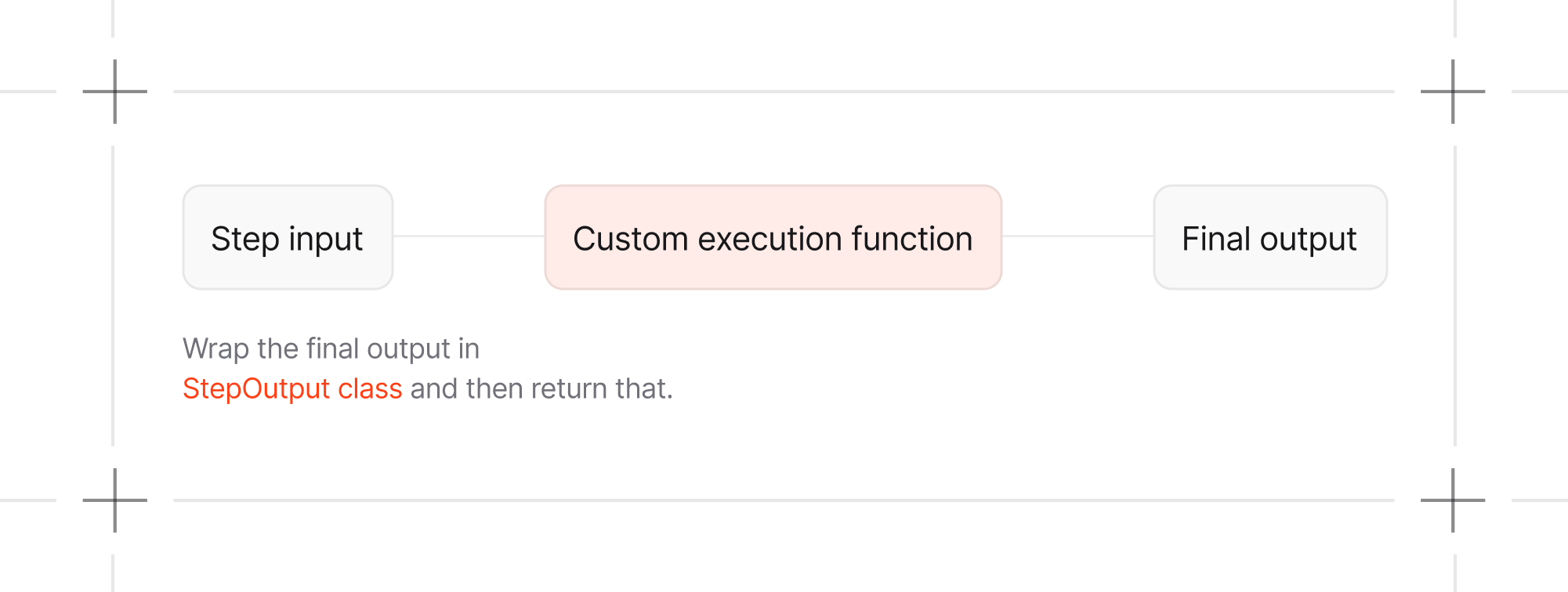
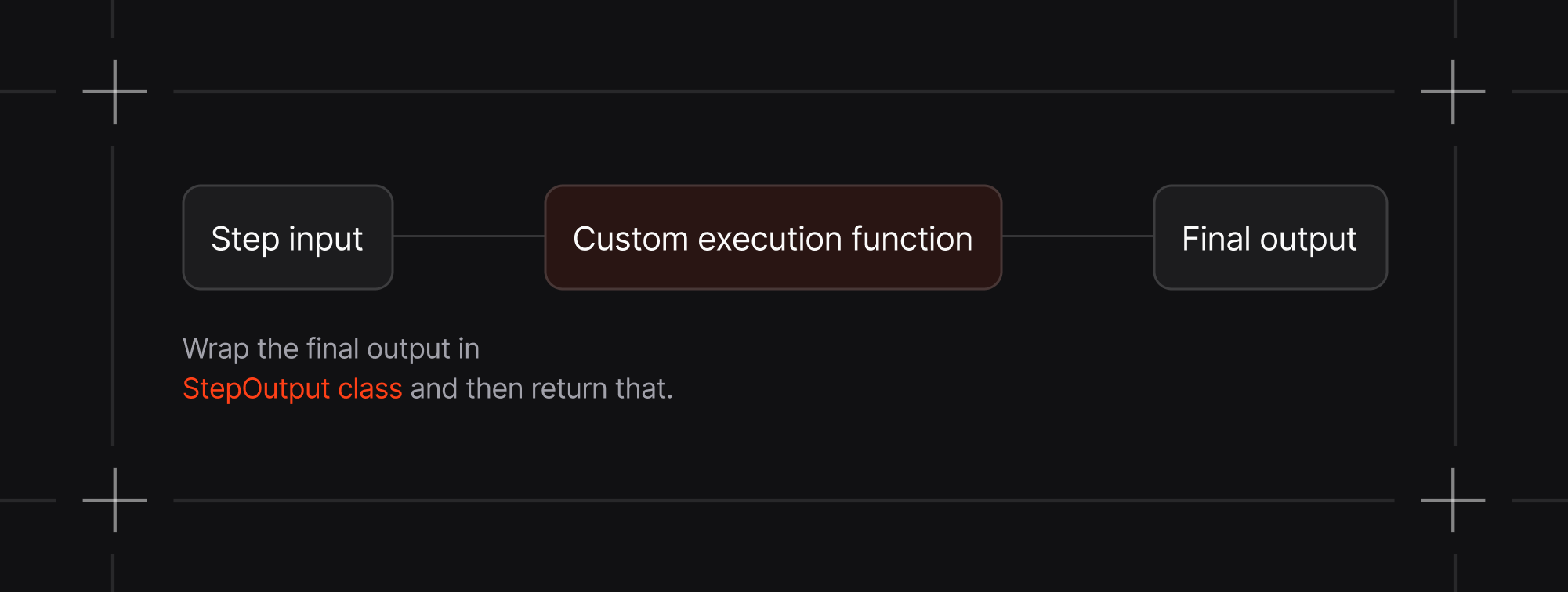
Define a Step with a custom function as the executor. The function must accept a StepInput object and return a StepOutput object, ensuring seamless integration with the workflow system.
Example
1content_planning_step = Step(2 name="Content Planning Step",3 executor=custom_content_planning_function,4)56def custom_content_planning_function(step_input: StepInput) -> StepOutput:7 """8 Custom function that does intelligent content planning with context awareness9 """10 message = step_input.input11 previous_step_content = step_input.previous_step_content1213 # Create intelligent planning prompt14 planning_prompt = f"""15 STRATEGIC CONTENT PLANNING REQUEST:1617 Core Topic: {message}1819 Research Results: {previous_step_content[:500] if previous_step_content else "No research results"}2021 Planning Requirements:22 1. Create a comprehensive content strategy based on the research23 2. Leverage the research findings effectively24 3. Identify content formats and channels25 4. Provide timeline and priority recommendations26 5. Include engagement and distribution strategies2728 Please create a detailed, actionable content plan.29 """3031 try:32 response = content_planner.run(planning_prompt)3334 enhanced_content = f"""35 ## Strategic Content Plan3637 **Planning Topic:** {message}3839 **Research Integration:** {"✓ Research-based" if previous_step_content else "✗ No research foundation"}4041 **Content Strategy:**42 {response.content}4344 **Custom Planning Enhancements:**45 - Research Integration: {"High" if previous_step_content else "Baseline"}46 - Strategic Alignment: Optimized for multi-channel distribution47 - Execution Ready: Detailed action items included48 """.strip()4950 return StepOutput(content=enhanced_content)5152 except Exception as e:53 return StepOutput(54 content=f"Custom content planning failed: {str(e)}",55 success=False,56 )Standard Pattern All custom functions follow this consistent structure:
1def custom_content_planning_function(step_input: StepInput) -> StepOutput:2 # 1. Custom preprocessing3 # 2. Call agents/teams as needed4 # 3. Custom postprocessing5 return StepOutput(content=enhanced_content)Class-based executor
You can also use a class-based executor by defining a class that implements the __call__ method.
1class CustomExecutor:2 def __call__(self, step_input: StepInput) -> StepOutput:3 # 1. Custom preprocessing4 # 2. Call agents/teams as needed5 # 3. Custom postprocessing6 return StepOutput(content=enhanced_content)78content_planning_step = Step(9 name="Content Planning Step",10 executor=CustomExecutor(),11)When is this useful?:
- Configuration at initialization: Pass in settings, API keys, or behavior flags when creating the executor
- Stateful execution: Maintain counters, caches, or track information across multiple workflow runs
- Reusable components: Create configured executor instances that can be shared across multiple workflows
1class CustomExecutor:2 def __init__(self, max_retries: int = 3, use_cache: bool = True):3 # Configuration passed during instantiation4 self.max_retries = max_retries5 self.use_cache = use_cache6 self.call_count = 0 # Stateful tracking78 def __call__(self, step_input: StepInput) -> StepOutput:9 self.call_count += 11011 # Access instance configuration and state12 if self.use_cache and self.call_count > 1:13 return StepOutput(content="Using cached result")1415 # Your custom logic with access to self.max_retries, etc.16 return StepOutput(content=enhanced_content)1718# Instantiate with specific configuration19content_planning_step = Step(20 name="Content Planning Step",21 executor=CustomExecutor(max_retries=5, use_cache=False),22)Also supports async execution by defining the __call__ method to be an async function.
1class CustomExecutor:2 async def __call__(self, step_input: StepInput) -> StepOutput:3 # 1. Custom preprocessing4 # 2. Call agents/teams as needed5 # 3. Custom postprocessing6 return StepOutput(content=enhanced_content)78content_planning_step = Step(9 name="Content Planning Step",10 executor=CustomExecutor(),11)For a detailed example see Class-based Executor.
Streaming execution with custom function step on AgentOS:
If you are running an agent or team within the custom function step, you can enable streaming on the AgentOS chat page by setting stream=True and stream_events=True when calling run() or arun() and yielding the events.
Using the AgentOS, runs will be asynchronous and responses will be streamed.
This means you must keep the custom function step asynchronous, by using .arun() instead of .run() to run your Agents or Teams.
1content_planner = Agent(2 name="Content Planner",3 model=OpenAIResponses(id="gpt-5.2"),4 instructions=[5 "Plan a content schedule over 4 weeks for the provided topic and research content",6 "Ensure that I have posts for 3 posts per week",7 ],8 db=InMemoryDb(),9)1011async def custom_content_planning_function(12 step_input: StepInput,13) -> AsyncIterator[Union[WorkflowRunOutputEvent, StepOutput]]:14 """15 Custom function that does intelligent content planning with context awareness.1617 Note: This function calls content_planner.arun() internally, and all events18 from that agent call will automatically get workflow context injected by19 the workflow execution system - no manual intervention required!20 """21 message = step_input.input22 previous_step_content = step_input.previous_step_content2324 # Create intelligent planning prompt25 planning_prompt = f"""26 STRATEGIC CONTENT PLANNING REQUEST:2728 Core Topic: {message}2930 Research Results: {previous_step_content[:500] if previous_step_content else "No research results"}3132 Planning Requirements:33 1. Create a comprehensive content strategy based on the research34 2. Leverage the research findings effectively35 3. Identify content formats and channels36 4. Provide timeline and priority recommendations37 5. Include engagement and distribution strategies3839 Please create a detailed, actionable content plan.40 """4142 try:43 response_iterator = content_planner.arun(44 planning_prompt, stream=True, stream_events=True45 )46 async for event in response_iterator:47 yield event4849 response = content_planner.get_last_run_output()5051 enhanced_content = f"""52 ## Strategic Content Plan5354 **Planning Topic:** {message}5556 **Research Integration:** {"✓ Research-based" if previous_step_content else "✗ No research foundation"}5758 **Content Strategy:**59 {response.content}6061 **Custom Planning Enhancements:**62 - Research Integration: {"High" if previous_step_content else "Baseline"}63 - Strategic Alignment: Optimized for multi-channel distribution64 - Execution Ready: Detailed action items included65 """.strip()6667 yield StepOutput(content=enhanced_content)6869 except Exception as e:70 yield StepOutput(71 content=f"Custom content planning failed: {str(e)}",72 success=False,73 )Streaming in case of a class-based executor also works the same way by defining the __call__ method to yield the events.