
Arize
Integrate Kern with Arize Phoenix to send traces and gain insights into your agent's performance.
Integrating Kern with Arize Phoenix
Arize Phoenix is a powerful platform for monitoring and analyzing AI models. By integrating Kern with Arize Phoenix, you can leverage OpenInference to send traces and gain insights into your agent's performance.
Prerequisites
-
Install Dependencies
Ensure you have the necessary packages installed:
1uv pip install arize-phoenix openai openinference-instrumentation-kern-ai opentelemetry-sdk opentelemetry-exporter-otlp -
Setup Arize Phoenix Account
- Create an account at Arize Phoenix.
- Obtain your API key from the Arize Phoenix dashboard.
-
Set Environment Variables
Configure your environment with the Arize Phoenix API key:
1export ARIZE_PHOENIX_API_KEY=<your-key>
Sending Traces to Arize Phoenix
-
Example: Using Arize Phoenix with OpenInference
This example demonstrates how to instrument your Kern agent with OpenInference and send traces to Arize Phoenix.
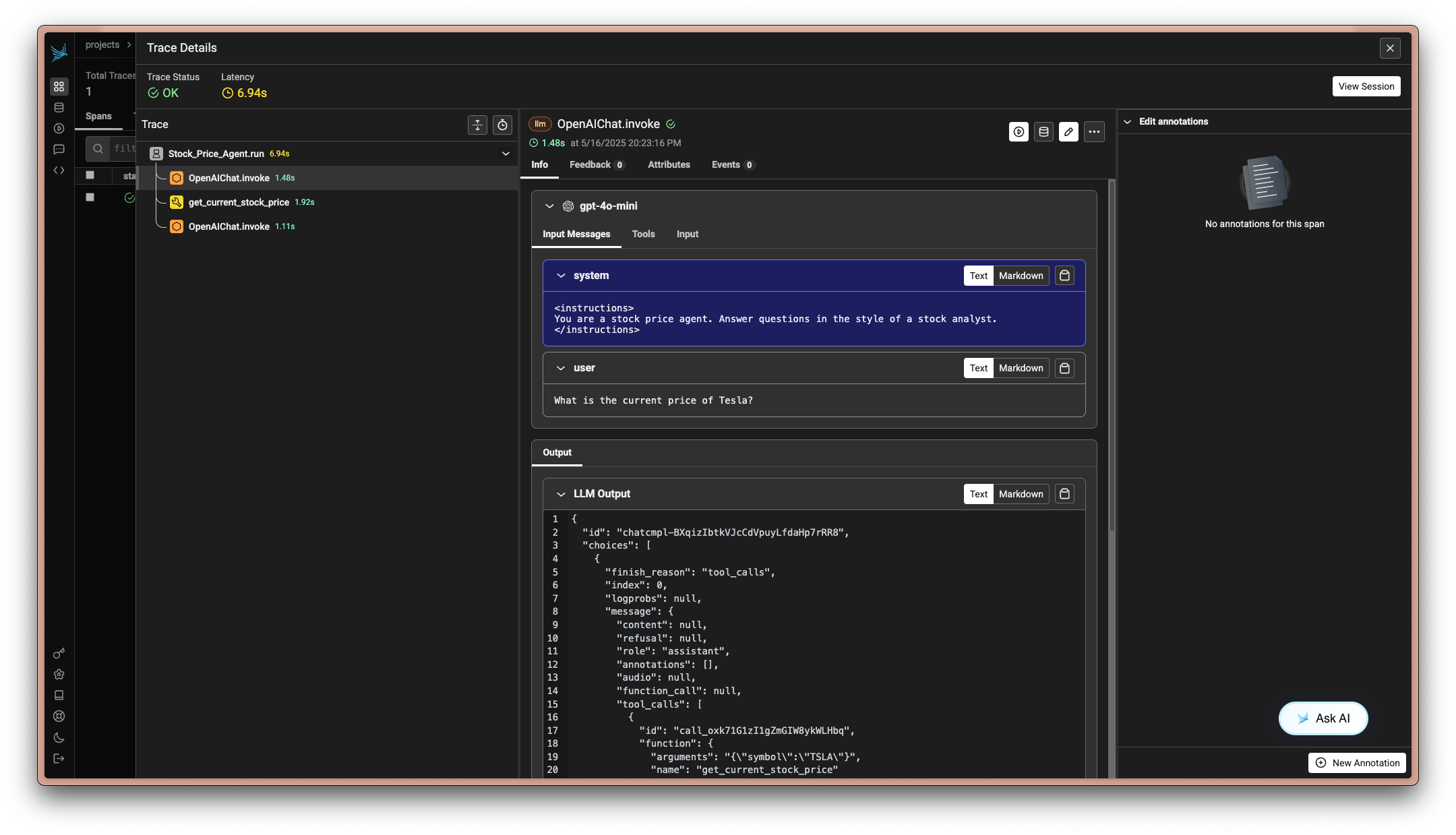
1import asyncio2import os34from kern.agent import Agent5from kern.models.openai import OpenAIResponses6from kern.tools.yfinance import YFinanceTools7from phoenix.otel import register89# Set environment variables for Arize Phoenix10os.environ["PHOENIX_CLIENT_HEADERS"] = f"api_key={os.getenv('ARIZE_PHOENIX_API_KEY')}"11os.environ["PHOENIX_COLLECTOR_ENDPOINT"] = "https://app.phoenix.arize.com"1213# Configure the Phoenix tracer14tracer_provider = register(15 project_name="kern-stock-price-agent", # Default is 'default'16 auto_instrument=True, # Automatically use the installed OpenInference instrumentation17)1819# Create and configure the agent20agent = Agent(21 name="Stock Price Agent",22 model=OpenAIResponses(id="gpt-5.2"),23 tools=[YFinanceTools()],24 instructions="You are a stock price agent. Answer questions in the style of a stock analyst.",25 debug_mode=True,26)2728# Use the agent29agent.print_response("What is the current price of Tesla?")Now go to the phoenix cloud and view the traces created by your agent. You can visualize the execution flow, monitor performance, and debug issues directly from the Arize Phoenix dashboard.
-
Example: Local Collector Setup
For local development, you can run a local collector using
1phoenix serve1import os23from kern.agent import Agent4from kern.models.openai import OpenAIResponses5from kern.tools.yfinance import YFinanceTools6from phoenix.otel import register78# Set the local collector endpoint9os.environ["PHOENIX_COLLECTOR_ENDPOINT"] = "http://localhost:6006"1011# Configure the Phoenix tracer12tracer_provider = register(13 project_name="kern-stock-price-agent", # Default is 'default'14 auto_instrument=True, # Automatically use the installed OpenInference instrumentation15)1617# Create and configure the agent18agent = Agent(19 name="Stock Price Agent",20 model=OpenAIResponses(id="gpt-5.2"),21 tools=[YFinanceTools()],22 instructions="You are a stock price agent. Answer questions in the style of a stock analyst.",23 debug_mode=True,24)2526# Use the agent27agent.print_response("What is the current price of Tesla?")Notes
- Environment Variables: Ensure your environment variables are correctly set for the API key and collector endpoint.
- Local Development: Use
phoenix serveto start a local collector for development purposes.
By following these steps, you can effectively integrate Kern with Arize Phoenix, enabling comprehensive observability and monitoring of your AI agents.