Atla
Integrate `Atla` with Kern for real-time monitoring, automated evaluation, and performance analytics of your AI agents.
Atla is an advanced observability platform designed specifically for AI agent monitoring and evaluation. This integration provides comprehensive insights into agent performance, automated quality assessment, and detailed analytics for production AI systems.
Prerequisites
- API Key: Obtain your API key from the Atla dashboard
Install the Atla Insights SDK with Kern support:
1uv pip install "atla-insights"Configuration
Configure your API key as an environment variable:
1export ATLA_API_KEY="your_api_key_from_atla_dashboard"Example
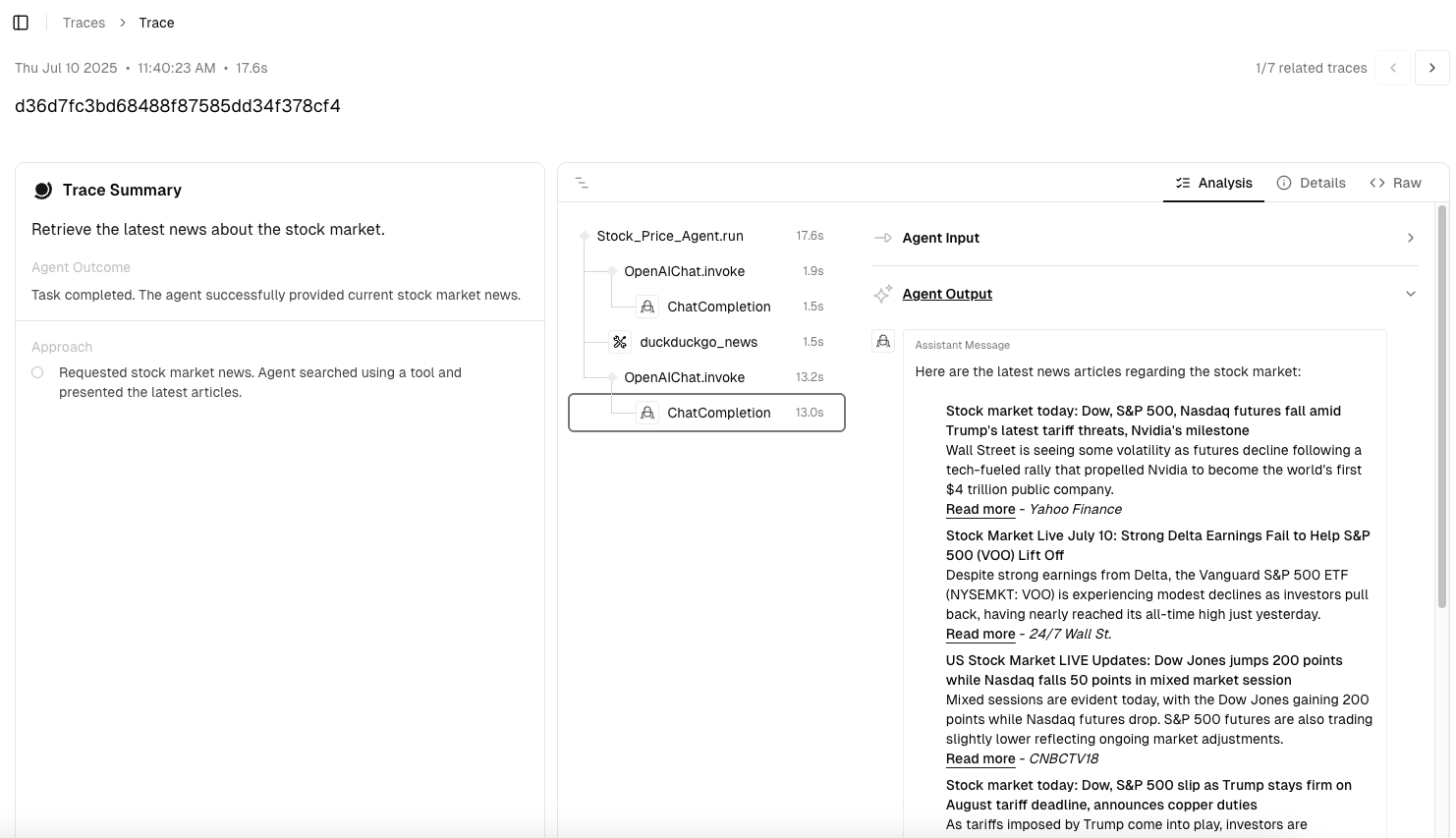
1from os import getenv2from kern.agent import Agent3from kern.models.openai import OpenAIResponses4from kern.tools.hackernews import HackerNewsTools5from atla_insights import configure, instrument_agno67# Step 1: Configure Atla8configure(token=getenv("ATLA_API_KEY"))910# Step 2: Create your Kern agent11agent = Agent(12 name="Market Analysis Agent",13 model=OpenAIResponses(id="gpt-5.2"),14 tools=[HackerNewsTools()],15 instructions="Provide professional market analysis with data-driven insights.",16 debug_mode=True,17)1819# Step 3: Instrument and execute20with instrument_agno("openai"):21 response = agent.run("Retrieve the latest news about the stock market.")22 print(response.content)Now go to the Atla dashboard and view the traces created by your agent. You can visualize the execution flow, monitor performance, and debug issues directly from the Atla dashboard.